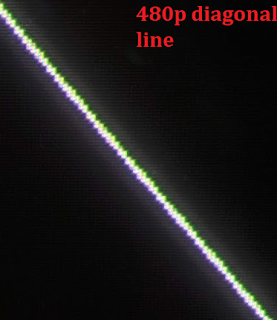
This 720p Plasma TV from 2008 is very unique and quite nice in many ways. It used to retail for around $1300. If you can find one it's a great choice for retro gaming. Overview/Image quality This is a plasma TV, which generally means at least the following: nearly infinite viewing angles, and jaw dropping weight. That's true in this case as well. This 42" model weights 75lbs. At native resolution (720p) this TV crops 20 pixels off the top/bottom and 30 off the sides. 480p/i crops 20 pixels off all sides. Both modes have aliasing, too, though it's not too bad. There's really no excuse for aliasing on a TV this big: you know the panel was designed specifically to be a tv. Why not hit 720p exactly? And as for 480p/i, they could have at least offered a zoomed out mode with black borders and 1:1 pixel mapping. But no such luck. There are zoom/stretch options to crop even more, but none that crop less. While the native resolution supposedly is 1366 x 768 it does accept...
Summary: This 4k TV (3840x2160) has very low lag but makes up for it with long response times, making the overall speed just ok. Image quality? This is a capsule review since the unit I tested had a significant crack, lowering my acquisition cost to zero but preventing any in depth tests of image quality. I did check the upscaling performance on 480i content and was very unimpressed; everything was very blurry and there seemed to be some kind of post processing filter applied to smooth the edges and curves with an effect much like 2xSaI. Heavy blur plus post-processing is a bad combo; though I'd be happy enough if these were toggleable options. They are not, however; indeed there seem to be almost no picture processing options (and what there are, are disabled in gaming mode). Input Lag I used a piLagTesterPRO to measure input lag. This device sends a frame of video over HDMI and measures how long it takes to display it. All tests were in game mode. For progressive content t...
Note: this is an update of an earlier post, now with a review of the DVDO VP50 included. PS2s were built with CRT TVs in mind. They look best on those. If you can, use a CRT connected via a YPbPr (component) cable. There are two reasons. PS2 games are mostly output in 480i (480 pixels of vertical resolution, with 240 pixels painted each frame; first the even lines, and then on the next frame the odd ones). In between frames the game image is updated, so when there is lots of motion the odd and even lines will show significantly different views. But because CRT pixels fade quickly, you almost never see the disagreement. Because LCDs have high persistence the even and odd lines are visible at the same time, and when there is lots of motion the result is ugly. If you happen to have a PS2 game that supports 480p (progressive, as in not interlaced), put in that mode and everything will look a lot better on your LCD. The other issue is that the PS2s doesn't do anti-aliasing by def...
Comments